Added support for new Merge Network software. This affects rooms such as Carbon Poker, BlackChip Poker, and RPM Poker
Thanks to all who helped solve the problems with this. Reps from Merge Network and BlackChip Poker were helpful too, which I appreciated as they are doubtlessly stressed and overworking at the moment with the pressure of dealing with the teething problems of the major changes to Merge Software.
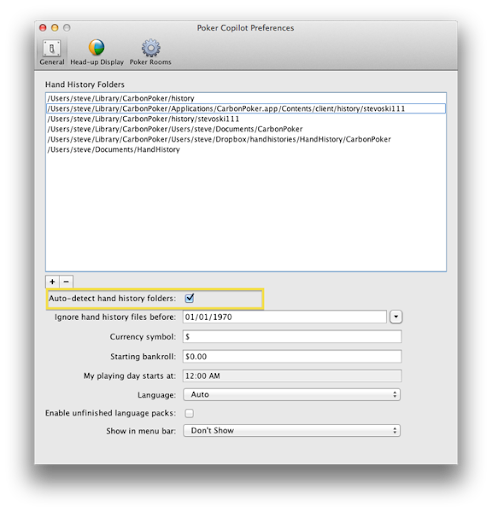
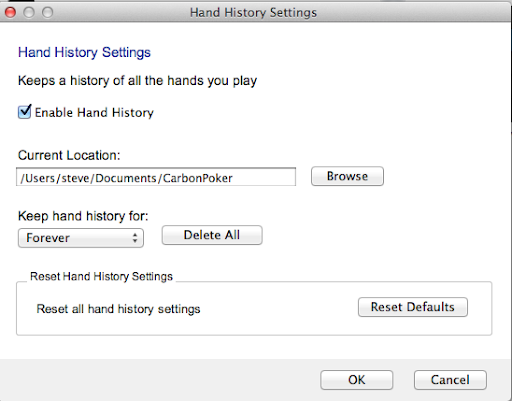
Note that as of today’s update to the Merge Network, hand histories are being saved properly in the correct location. Poker Copilot will assume the default location is being used, which is:
/Users/[your OS X account name]/Library/[Merge Network room]/history
For example,
/Users/steve/Library/CarbonPoker/history
Now that a week or so of dealing with changes to Lock, Merge, and PartyPoker, and the introduction of PokerStars.ES (Spain) is over, I’m looking forward to a hopefully calm weekend.
(Update: the original links in this post were for a Poker Copilot update that only worked fully if your Mac OS X account name is “steve”. Now it should work no matter what your name.)
Are you playing on Merge Network? I’ve worked hard today to solve the problems between Poker Copilot and the Merge Network update from a day or two ago. Due to the sheer number of Merge partners, I haven’t been able to test this fully. Nor have I been able to test it on a multi-table tournament (or multi-table SnG) yet.
The update will try pretty hard to locate your Merge hand history files IF you have the “Auto-detect hand history folders” checkbox checked in Poker Copilot’s Preferences.
Merge poker rooms such as Carbon Poker released an update overnight. Unfortunately there seem to be initial problems with this update. For me, at least, Carbon Poker is no longer saving hand history files, even though I’ve checked that it is enabled.
What this means for Poker Copilot: until Merge fix this, Poker Copilot won’t work with Carbon and other Merge Network rooms. There is no work-around; without hand history files, Poker Copilot has no data! Sorry.
Has anyone successfully got the new Carbon client to save hand history files?
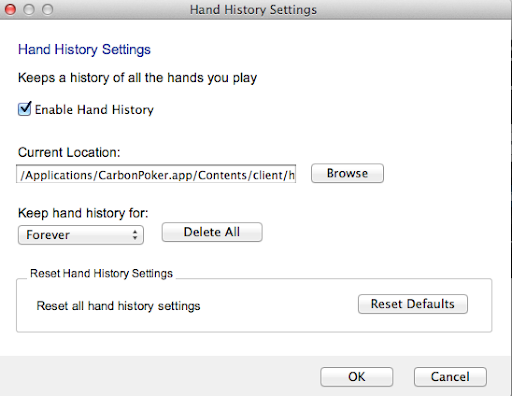
My first suspicion is that the problem was Carbon’s default location for saving hand history files – into the App’s own bundle. This is a no-no on Mac OS X – the app bundle should be considered read-only. I tried changing to another location but still had no joy.
(Merge development team: if you are reading this, I’m offering to help test your Mac software to make sure it will work with tracking software such as Poker Copilot.)
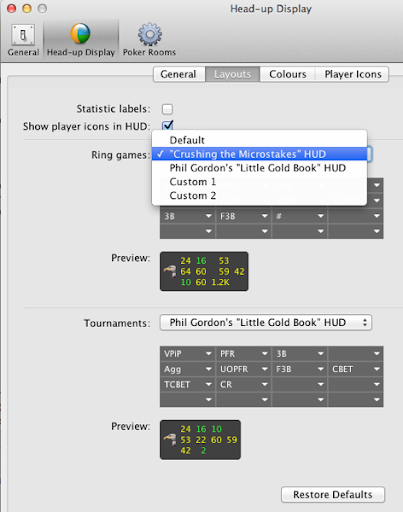
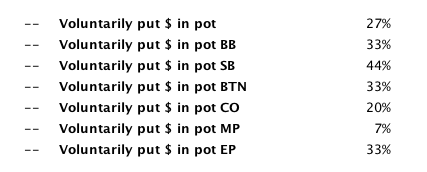
Sometimes it is convenient to have different HUD configurations for different types of games or buy-ins, or simply depending on your mood. The next update will give you the ability to quickly change between configurations. There are also a couple of predefinedconfigurations:
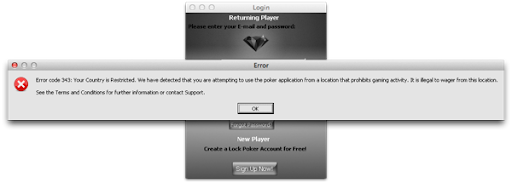
I took a look today at Lock Poker’s new Mac client. It is actually the Windows software made to run on OS X using CrossOver, which itself uses Wine. This is not an ideal solution, and hopefully is just an interim approach. It seems to me that making the Poker Copilot HUD work with this approach is not feasible. However it should be possible to track hand history files.
So in summary: Poker Copilot stats and reports but no Poker Copilot HUD on the new Lock Poker platform.
It should take a few days until I can add support for Lock Poker hand histories. If you have any from their new software, please send them to me at steve@pokercopilot.com
If you play on an Ongame Network room that isn’t currently supported in Poker Copilot, you can send me an email to steve@pokercopilot.com requesting it to be added. I’ll need three pieces of information that you can send in the email.
The name of the application, exactly as it is shown your Applications folder. Upper/lower case is important.
While the poker room is running, open “Activity Monitor” (you’ll find it in Applications -> Utilities, or just type it into Spotlight). Make sure the poker room is visible in the list of “Process Names” in Activity Monitor, take a screenshot of this, and send it to me.
Right-click or ctrl-click on the poker room app in your Applications folder, select “Show Package Contents”, navigate down to Contents -> Bundles, find the file called “client.properties” there, and send that file to me.
(You can take a screenshot by pressing Cmd+Shift+3. The screenshot will be saved to your desktop.)