I suspect a person can create an account with one Ongame partner, create a second account with another Ongame partner, and play on both accounts at the same table at the same time. I’m not certain as I didn’t want to test this and get my accounts banned.
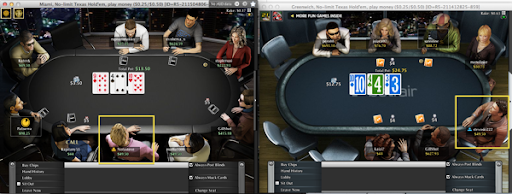
In trying to understand how the different Ongame Network clients prevent hand history files from interfering with each other, I played on two Ongame partners at once: bwin and Betfair. I signed in as notasteve on bwin, and as stevoski222 on Betfair.
I went to the play tables, and played on two different tables, one per account. However I noticed that I could see the same tables, and – potentially – play at the same table with two different user accounts.
Same IP address, same computer, same tables, different Ongame partners, different accounts. I think Ongame ought to fix this quickly.
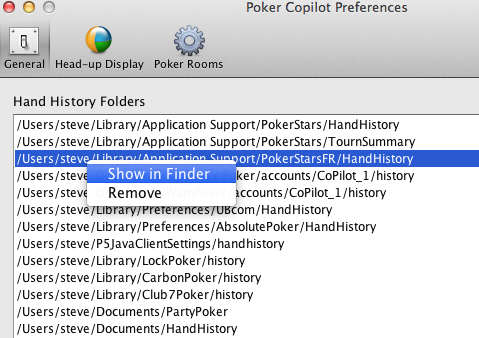
In Mac OS X Lion, Finder doesn’t show the “Library” folder anymore(although there are several ways to access it). Some online poker rooms supported by Poker Copilot store their hand history files within Library, so to help you get to these files, I’ve added “Show in Finder” to Poker Copilot’s list of hand history folders:
This will force the folder to appear in Finder.
Incomplete Language Packs
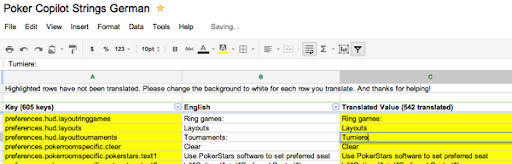
Some of Poker Copilot’s translations are quite incomplete. I think it may be jarring for some people to use half-translated software. So I’ve categorised several of the translation packs as “incomplete”. They are currently Spanish (Spain), Russian, Polish. Portuguese (Portugal), and Portuguese (Brazil). From the next update, Poker Copilot won’t use any of these translations until I mark them as complete. However you can override this:
This is a temporary preference, which I’ll remove once all the translations are complete enough.
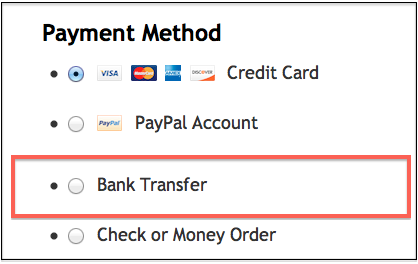
In some European countries, bank transfers are a popular way to buy electronically. Until now you couldn’t buy Poker Copilot with a bank transfer, except on an informal basis. Now it is available as a purchase option for everybody:
Our reliable, professional, successful e-commerce partner is FastSpring and they just added this new option.
When you click on a player’s HUD panel in Poker Copilot, you see a popup panel that shows all the stats for that player. I’ve tweaked this to be more compact, and to use the statistic colour-coding. The left-hand side is how it is currently; the right-hand side is how it will appear in the next Poker Copilot update:
Besides the colour-coding, the text is in a slightly smaller font and the line spacing is smaller.
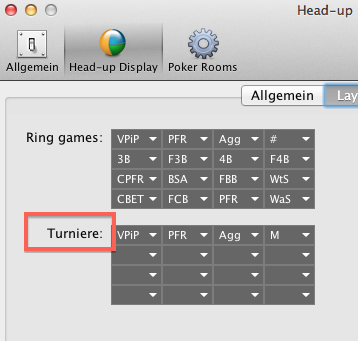
An extra row of stats. You can now show up to 16 stats at once:
Pre-emptive comment: “That’s nice, Steve, but what we really need are more stats, not just more room to show the stats that are already there”. I hear ya. I’ll be looking at some stats soon.
Ongame Network updated their Mac OS X software two days ago. This new software doesn’t work with the current Poker Copilot release. So I’ve made some adjustments to fix these problems.
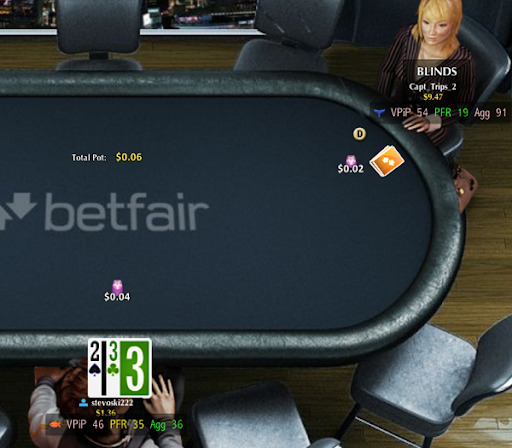
But this is more than just a fix. Finally, Poker Copilot’s HUD works with Ongame Network, although for now, only with BetFair:
Madeleine at FrenchVoiceOvers.com did the translation and voiceover. I want to praise Madeleine’s professionalism and responsiveness. Thanks also to loyal Poker Copilot customer Christophe for advising on French poker terms.