Having trouble getting your username and license key into Poker Copilot? Here’s a video showing you exactly how it is done:
The latest update of Poker Copilot has some extra smarts in this area:
if you have something in your clipboard that looks like a Poker Copilot license key, it’ll automatically be pasted into Poker Copilot’s registration dialog.
The “OK” button is only enabled if a valid user name and license key are entered.
This is all about reducing the amount of support emails I receive.
I had some hours to kill in Cairo airport yesterday. Luckily I had my MacBook Pro with me so I got stuck into another of those little Poker Copilot enhancements that has been on my to-do list for a long time.
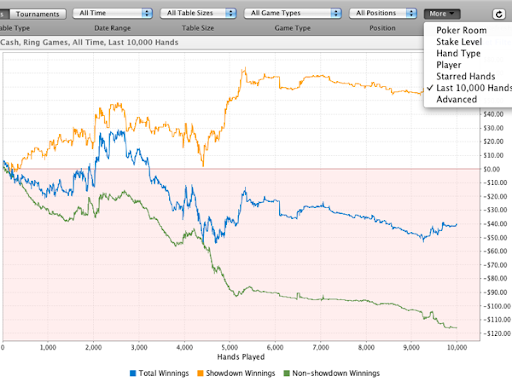
As ever, a screenshot says more than words:
This filter applies to all screens, but not to the HUD. It can be useful to see your recent performance. 10,000 hands is large enough to give useful trends but small enough to ensure all charts and summaries generate quickly.
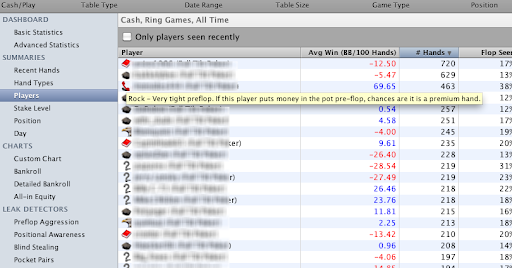
I’ve added player icons to the Player Summary. A screenshot should explain this:
Many people write asking what the icons mean. So I’ve given the icons in the Player Summary tooltips with definitions of the icons.
If either the Table Size filter is set to “All Table Sizes” OR the Game Type filter is set to “All Game Types”, Poker Copilot uses the default rules to determine which player icons to use. If both the Table Size filter AND the Game Type filter are set, then the rules for that combination is used to generate the icons.
Hi everybody who has been helping translate Poker Copilot. There are 15 or 20 new strings that I’ve added to the translation spreadsheets in Google Docs. It’d be great if you could take a look and translate them.
Many thanks! Danke schön. Merci beaucoup. Muchas gracias. Shumë falemnderit.
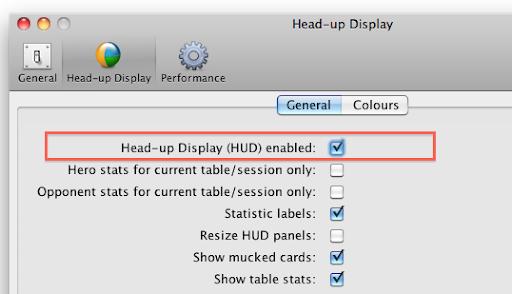
You can completely disable the head-up display (HUD).
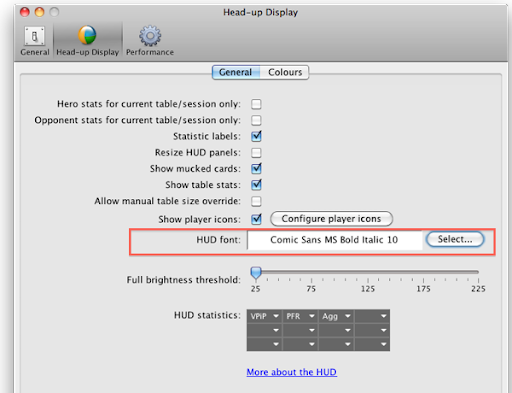
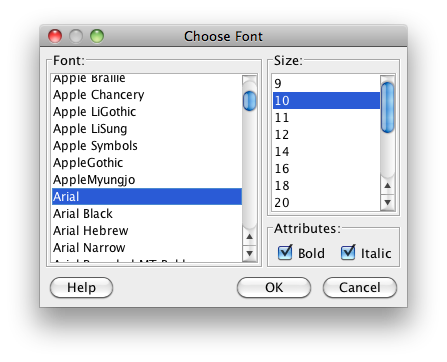
You can choose a custom font and size for the HUD.
You can show HUD stats for the current tournament
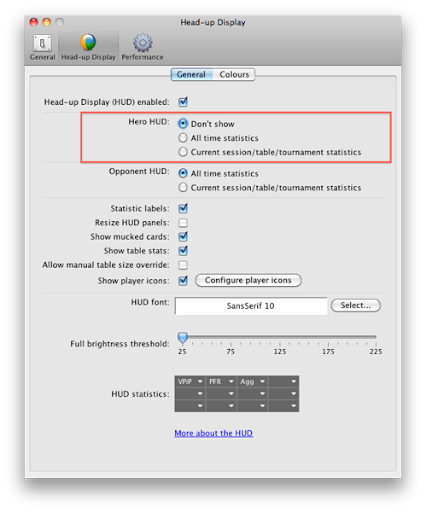
You can turn off the hero HUD panel while still showing stats for opponents
The bankroll chart now has the range axis shown on the right-hand side
What’s fixed:
Winamax split pots now have the all-in EV calculated correctly. Note that hands already in your Poker Copilot database won’t be corrected, but future hands will be.
Poker Copilot hopefully starts up correctly with Mac OS 10.4 (Tiger) once more.
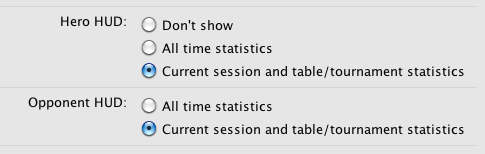
You’ve long had the choice in the Poker Copilot HUD whether stats should be either for the current session and table; or for all time. Many people have requested that for tournaments the stats can be for the current tournament. I’ve finally added this:
Now as you move between tables in a tournament and reencounter players who were on your table earlier in the tournament, you’ll see their total stats for the current tournament.
Officially, Poker Copilot requires Mac OS X 10.5 (Leopard) or higher. However Tiger users are still able to use Poker Copilot, albeit with some unusual rendering and with a couple of features missing.
Poker Copilot 2.73 doesn’t seem to be working with Tiger at all. I’m investigating the cause, but for now you can download Poker Copilot 2.72, which does work with Tiger. You can download Poker Copilot 2.72 here.
For now, I’ve made the Poker Copilot home page and downloads page offer 2.72, until I solve this problem.
Update: If you are feeling adventurous, please try this Poker Copilot update which might work with Tiger. If you try it, please post in the comments whether it worked for you.
There’s a new preference in the Head-up Display preferences panel that enables you to completely disable the Poker Copilot head-up display (HUD).
For most people the HUD is the killer feature in Poker Copilot. But there are some people who just use the analysis features and find the HUD distracting.