The Ten Minute Website with iWeb, Dropbox, and Go Daddy
What you need: A Mac. A free Dropbox account.
Step 1: Create a single-page site in iWeb, software which comes with every Mac. Let iWeb do the hard work of making the page stylish.
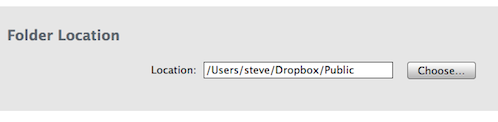
Step 2: Publish the site to your Dropbox Public folder.
Step 3: Register a domain name with Go Daddy for less than US$10 per year.
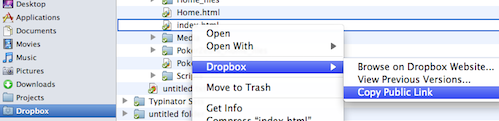
Step 4: In Finder, right-click on the web page, select “Dropbox” -> “Copy Public Link”
Step 5: Use Go Daddy’s Domain Manager to set “domain forwarding” to the public link of your Dropbox-hosted single-page website. Use “Domain forwarding with masking” so that people see the domain name in the browser’s address bar.
Step 6: Wait a while for the domain forwarding to kick in. Go make yourself a coffee. Check your email. See what’s happening on Facebook. It should take between ten minutes and an hour to show up.
Step 7: Use your browser to check out the result.
To change the website, edit the page in iWeb, publish, and wait a minute. Done.